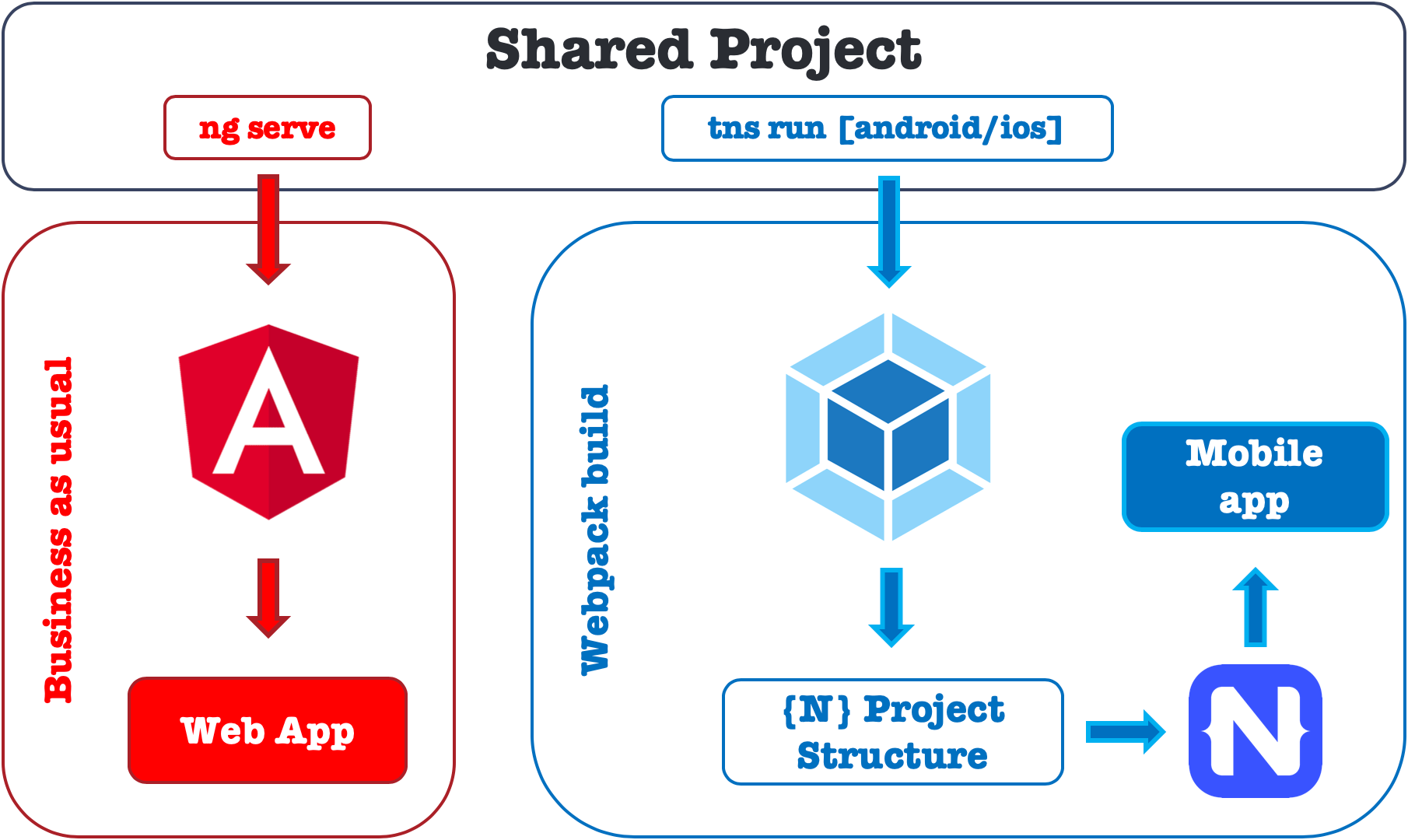
«JavaScript предоставляет возможности огромной масштабируемости при правильной архитектуре», — говорит NativeScript.
Звучит неплохо, но как на самом деле создать интегрированный монорепозиторий для приложений Angular (веб) и Angular NativeScript (Android, iOS)? В документации NativeScript предлагается использовать Nrwl Nx DevTools с @nativescript/nx, и это здорово.
# 0. Install NPM LTS globally
$ nvm install --lts

# 1. Install Angular CLI globally
$ npm install -g @angular/cli

# 2. Install NativeScript CLI globally
$ npm install -g nativescript

# 3. Install Nrwl Nx CLI globally
$ npm install -g nx

# 4. Generate a new Nx workspace with an empty integrated monorepo
$ npx create-nx-workspace@latest angular-nativescript-workspace

# 5. Navigate to the Nx-workspace directory
$ cd angular-nativescript-workspace

# 6. Install NativeScript and Angular plugins
$ npm install --save-dev @nativescript/nx @nativescript/angular @nativescript/android @nativescript/ios @nrwl/angular

# 7. Generate a new Angular web app with SCSS, routing enabled, and no Standalone Components
$ nx generate @nrwl/angular:application --name=web-app

# 8. Generate a new NativeScript mobile app with Angular as the front end
$ nx generate @nativescript/nx:application --name=mobile-app

# 9. Generate a new shared library with Jest and TSC
$ nx generate @nrwl/js:lib --name=shared

# 10. Generate shared TypeScript model classes for User, Game, and Item
$ touch libs/shared/src/lib/user.ts
$ touch libs/shared/src/lib/game.ts
$ touch libs/shared/src/lib/item.ts

# 11. Run the web app
$ nx serve web-app

# 12. Run the mobile app on an Android device or emulator
$ nx run nativescript-mobile-app:android

# 13. Run the mobile app on an iOS device or simulator
$ nx run nativescript-mobile-app:ios
Обновите общие классы моделей TypeScript, расположенные в libs/shared/src/lib/user.ts,libs/shared/src/lib/game.ts,иlibs/shared/src/lib/item.ts.
export class User {
    constructor(public id: number, public name: string) {}
}
export class Game {
    constructor(public id: number, public title: string) {}
}
export class Item {
    constructor(public id: number, public description: string) {}
}
Обновите libs/shared/src/index.ts, чтобы экспортировать общие классы моделей TypeScript.
export * from './lib/user';
export * from './lib/game';
export * from './lib/item';
Используйте общие классы моделей TypeScript как в приложениях Angular (веб), так и в приложениях Angular NativeScript (Android, iOS).
import {Component} from '@angular/core';
import {User, Game, Item} from '@angular-nativescript-workspace/shared';

@Component({
    selector: 'app-root',
    templateUrl: './app.component.html',
    styleUrls: ['./app.component.scss'],
})
export class AppComponent {
    user = new User(1, 'John Doe');
    game = new Game(1, 'Example Game');
    item = new Item(1, 'Example Item');
}
Бум! Готово.